






You’ve invested in mutual funds. Now you want to check what you hold, track your portfolio, or just get a consolidated view of your wealth. Two documents can help you do this — but they work differently, show different things, and serve different purposes.
The Statement of Account (SOA) and the Demat Statement are both legitimate records of your mutual fund holdings. Most investors have access to both and use neither properly. Some don’t even know both exist simultaneously. Choosing the right one for the right purpose — or understanding why both matter — can save you confusion, errors, and in some cases, real financial trouble.
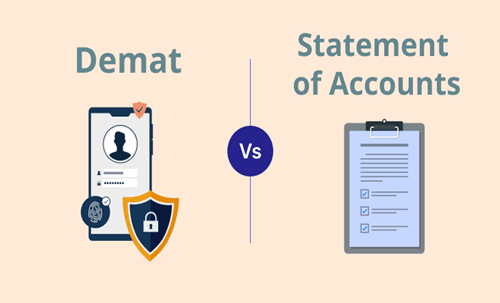
What is a Statement of Account (SOA)?
An SOA is a document issued by the Registrar and Transfer Agent (RTA) — either CAMS or KFintech — that records your mutual fund holdings in physical or non-demat form. It is a direct record maintained by the fund house’s back-end infrastructure.
When you invest in a mutual fund directly — through an AMC’s website, a direct platform like MFCentral, Coin by Zerodha (in non-demat mode), or through a distributor — your units are held in SOA form. You don’t need a demat account. Your folio number is your unique identifier, and the RTA maintains the record of every transaction, NAV, unit balance, and dividend.
You can access your consolidated SOA — showing all mutual fund holdings across all AMCs — through CAMS Online, KFintech portal, or MFCentral using your PAN and registered email or mobile number.
What is a Demat Statement?
A Demat Statement is issued by your Depository Participant (DP) — typically your broker like Zerodha, Groww, HDFC Securities, or others — and reflects mutual fund units held in dematerialised form through NSDL or CDSL depositories.
When you invest in mutual funds through a brokerage platform that routes units into your demat account, your holdings appear on your demat statement alongside stocks, ETFs, and bonds. Your demat account number (DP ID + Client ID) becomes the identifier, not a folio number.
You can access this through your broker’s app, or directly from NSDL’s or CDSL’s portals using your demat credentials.
SOA: The Pros
Complete transaction history. An SOA shows every transaction in granular detail — each SIP instalment date, the NAV applied, units allotted, and cumulative balance. For tax filing, capital gains calculation, and audit purposes, this level of detail is irreplaceable.
No dependency on a broker. Your SOA exists independently of any platform. Even if a brokerage shuts down or you close your account, your RTA record persists. The AMC always knows what you hold.
Direct plan access and lower costs. Most direct plan investments flow through the SOA route. Staying in SOA mode with direct plans means lower expense ratios and no platform dependency for your core holdings.
Easier nomination and transmission. Updating nominees, transmitting holdings after a holder’s death, and resolving disputes is typically smoother through the RTA-SOA route, which has well-established legal and procedural frameworks.
SOA: The Cons
Fragmented across RTAs. If you hold funds across CAMS and KFintech-registered AMCs, you need to check two portals separately. MFCentral now consolidates both, but the experience is less seamless than a single demat view.
No single view with other asset classes. Stocks, ETFs, bonds, and mutual funds don’t appear together in an SOA. For investors who want a unified portfolio view, this is a limitation.
Demat Statement: The Pros
Single unified portfolio view. Stocks, mutual funds, ETFs, SGBs, and bonds — everything in one statement from one platform. For investors managing multiple asset classes, this consolidation is genuinely valuable.
Easier pledging for margin. Demat-held mutual fund units can be pledged as collateral for trading margins, a facility not available with SOA-mode holdings.
Familiar interface. Investors already using a brokerage account find it natural to see mutual fund holdings alongside their equity portfolio.
Demat Statement: The Cons
Broker dependency. If your broker faces technical issues, regulatory action, or shuts down operations, accessing or transferring demat-held mutual fund units can become complicated and time-consuming, even if the underlying assets are safe.
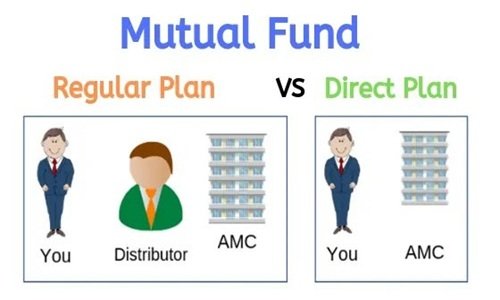
Usually regular plan by default. Many brokerage platforms default to regular plan investments through demat mode, quietly embedding distributor commissions into your expense ratio. Always verify which plan you’re buying.
Less transaction granularity. Demat statements show current holdings and valuation clearly but often lack the per-instalment transaction depth that an SOA provides — which matters significantly during tax filing season.
DP charges. Demat accounts may carry annual maintenance charges and transaction fees that don’t exist in the direct SOA route.
Which Should You Use and When?
Use your SOA as your authoritative record — for tax computation, capital gains statements, nominee verification, and long-term holdings tracking. It is the ground truth of your mutual fund ownership.
Use your Demat Statement for day-to-day portfolio monitoring, unified asset-class views, and if pledging units for margin is relevant to your investing style.
The smartest investors do both — invest in direct plans through the SOA route for core long-term holdings, while using a demat account for equity and ETF investments, keeping the two cleanly separated.
FAQs
Q1. Can the same mutual fund units appear in both SOA and demat simultaneously?
No. A unit is either held in SOA (folio) mode or demat mode — not both. When you invest, the mode is determined by the platform you use.
Q2. Can I convert SOA-held units to demat form and vice versa?
Yes. You can dematerialise SOA-held units or rematerialise demat units back to folio form. The process involves submitting a request to your DP or RTA respectively. It takes a few working days.
Q3. Is one mode safer than the other?
Both are legally safe. In either case, the AMC and depository maintain the underlying record. The risk in demat mode is operational dependency on a broker; the risk in SOA mode is managing multiple portals.
Q4. Which is better for filing ITR and computing capital gains?
The SOA from CAMS or KFintech is far more useful here. It provides a complete transaction-level history with NAVs, dates, and unit counts — exactly what you need for accurate capital gains computation.
Q5. Do ETFs have an SOA equivalent?
No. ETFs trade on stock exchanges and can only be held in demat form. They have no folio or SOA equivalent. For ETF holdings, your demat statement is the only record.
Know where your units live — because in a financial emergency, the difference between SOA and demat can mean the difference between a smooth process and a frustrating one.